Finding a genuinely useful idea is the hard part of content marketing. Once you have one, repurposing lets you get far more value from it than a single post, without repeating the research or insight-finding work ten times over. This article shows how to adapt one idea properly, instead of just copy-pasting the same paragraph into ten different places.
Start with one strong customer insight
The source material matters more than the repurposing technique. A strong insight is specific, comes from a real customer interaction, support question, sales call, or review, and resolves something the audience actually wrestles with. A generic industry tip rarely survives ten adaptations because there isn't enough substance underneath it.
Adapting for different formats
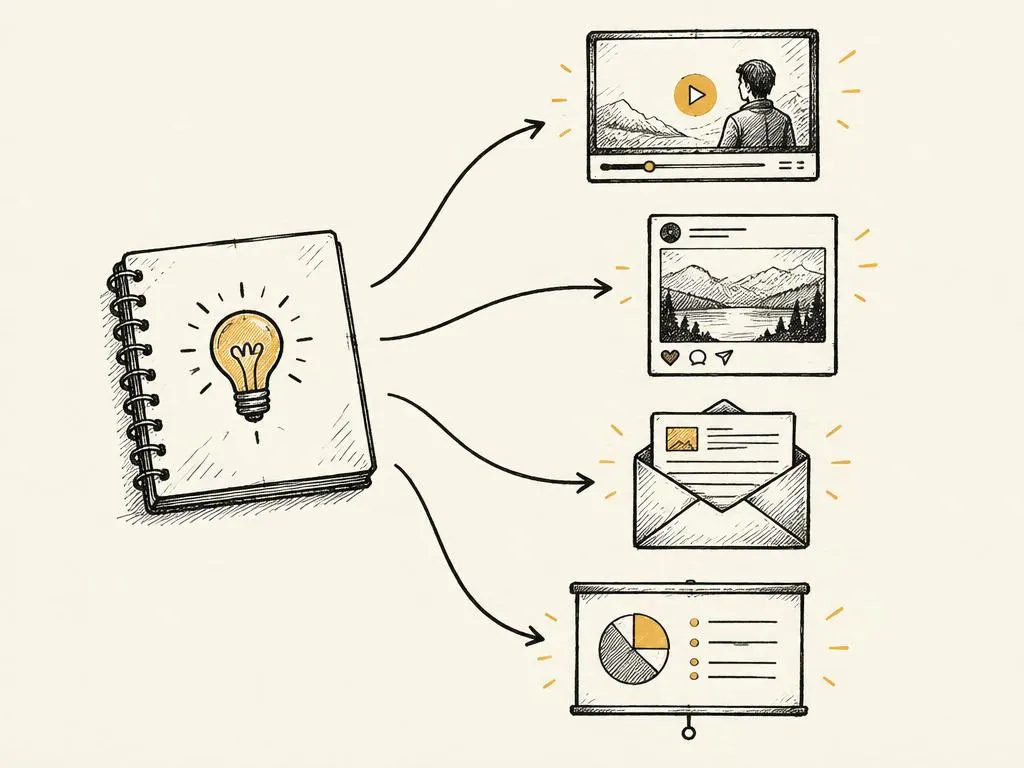
Each format has a different job. An article can explain the full reasoning and nuance. A short video can demonstrate it visually in under a minute. A carousel can break it into a sequence of digestible steps. An email can connect it directly to a reader's specific situation and invite a reply. The underlying insight stays the same; the structure, length, and opening change.
| Format | What it's best at |
|---|---|
| Long article | Full explanation with nuance and evidence |
| Short video | Visual demonstration in under a minute |
| Carousel/slides | Step-by-step breakdown, easy to save |
| Direct, personal framing with a specific invitation | |
| Single social post | One sharp, quotable version of the core point |
| Infographic/image | A simple before/after or comparison visual |
| FAQ/support page entry | A direct answer to the exact question asked |
| Audio/podcast clip | Conversational explanation with added colour |
| Comment/community reply | The insight applied to someone's specific situation |
| Sales conversation talking point | A compact version used live with prospects |
Preserving context across formats
A repurposed asset should make sense to someone who never saw the original piece. This means restating the necessary background briefly rather than assuming the viewer already followed your earlier post. A carousel slide that says 'as I mentioned yesterday...' fails for the 95% of your audience who didn't see yesterday's post.
Choosing platform-specific openings
Even when the core insight is identical, the opening line should be written for that specific platform's audience and format, using the hook principles from earlier in this module. An email subject line, a video's first three seconds, and a carousel's cover slide all need their own tailored hook rather than one generic sentence reused everywhere.
Avoiding the copy-paste trap
The clearest sign of lazy repurposing is identical blocks of text appearing verbatim across formats with no adaptation. This reads as low-effort, performs worse on each platform's own terms, and in some cases looks like spam if the same wording appears across multiple channels your audience follows simultaneously.
A repurposing checklist
- Confirm the source insight is specific and comes from a real customer interaction
- List which of the ten formats are realistic for your actual production capacity
- Write a unique, platform-specific opening for each chosen format
- Restate necessary context in each asset so it stands alone
- Check no two assets share identical paragraphs of text
- Sequence the assets across your calendar instead of publishing them all at once
Common mistakes
- Copy-pasting the same paragraph across every platform with no adaptation.
- Repurposing a weak, generic idea that doesn't have enough substance to support ten formats.
- Assuming the audience already saw the original post and skipping necessary context.
- Publishing all ten assets on the same day instead of spacing them across the calendar.
- Forcing an insight into a format it doesn't actually suit, such as a highly visual idea into a text-only post.
When this is not the right tactic
Not every idea deserves ten assets; a minor or narrow observation might only support one or two formats well, and forcing it further produces filler. Repurposing also isn't a substitute for finding new insights regularly, a content calendar built entirely from repurposing a handful of old ideas will eventually feel repetitive to a returning audience.
Where to go next
Next, learn how to use AI assistants responsibly to speed up this adaptation work without producing generic, unverified copy.