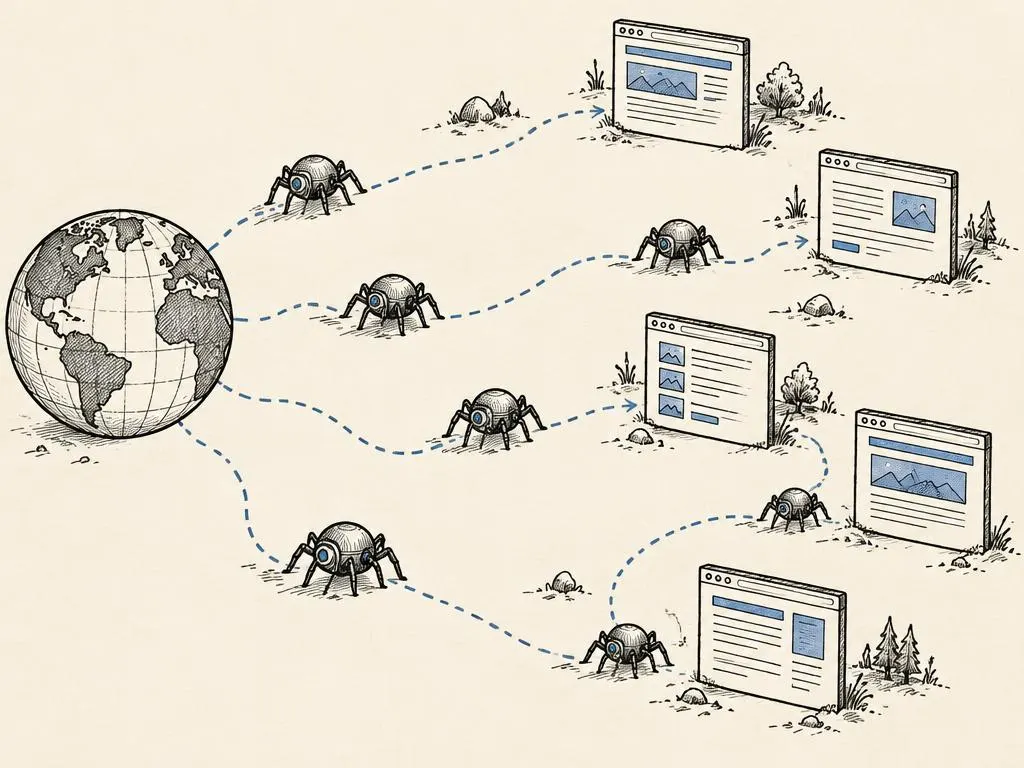
Technical SEO sounds intimidating because it borrows vocabulary from engineering, but the underlying ideas are simple. A search engine needs to find your page (crawling), decide whether to keep a copy of it (indexing), and figure out which version of a page is the 'real' one when near-duplicates exist (canonicalization). Get these three things right and most ranking problems disappear before you ever touch keyword research.
This article focuses on the mechanics, not keyword strategy. If you have not yet read the companion piece on how search engines rank content, start there; this lesson assumes you understand that ranking happens after a page is both crawled and indexed.
Crawling: can a bot even reach the page?
Crawling is the process of a search engine's automated program (a 'crawler' or 'bot') requesting a URL and reading its contents, the same way a browser would, but without a human watching. A page that cannot be crawled cannot be evaluated at all, so crawl access is the first checkpoint.
The most common crawl blocker is a robots.txt file, a plain text file at the root of a domain (for example, example.com/robots.txt) that tells well-behaved crawlers which paths they should not request. A disallow rule in robots.txt is a request, not a password; it stops compliant crawlers from fetching the page, but it does not encrypt or hide the content, and it does not reliably stop the URL from appearing in search results if other pages link to it with descriptive text. This distinction surprises many site owners: blocking crawling is not the same as blocking indexing.
Other ways crawling gets blocked
- Pages that require a login or are behind a paywall with no public preview.
- JavaScript-only navigation where links are not present in a form a crawler can follow without executing complex scripts.
- Server errors or extremely slow response times that cause the crawler to give up or deprioritize the site.
- Accidental disallow rules left over from a staging environment that was copied into production.
Indexing: is the page eligible to appear in results?
Indexing is a separate decision search engines make after a page is successfully crawled: should this page be stored and considered for appearing in search results? A page can be crawled but not indexed, for example if it is judged low-value, thin, or a near-duplicate of a stronger page elsewhere on the site.
You control indexing directly with a noindex directive, placed either as a meta robots tag in the page's HTML head or as an X-Robots-Tag HTTP header for non-HTML files like PDFs. A page marked noindex can still be crawled (the bot needs to see the tag to obey it), but it will not be shown in search results. Common legitimate uses include internal search results pages, thank-you pages after a form submission, and duplicate filtered views of a product catalog.
Canonicalization: which version is the real one?
Most sites unintentionally create multiple URLs that show the same or nearly the same content: a product page reachable with and without a tracking parameter, a version with and without a trailing slash, or separate URLs for filtered views of the same list (sorted by price, sorted by newest). Search engines try to group these as duplicates and pick one canonical (preferred) version to show in results.
You can guide this decision with a canonical tag, an HTML link element that points from a duplicate URL to the preferred URL. This is a signal, not an absolute directive; search engines can choose a different canonical if other evidence (internal links, sitemaps, redirects) contradicts the tag. Consistency across all of these signals makes the canonical choice easier for the search engine to trust.
Where duplicate URLs typically come from
- Marketing tracking parameters appended to URLs shared in ads or email (for example utm_source parameters).
- Session IDs or sorting and filtering parameters on ecommerce category pages.
- A site accessible at both the www and non-www version, or both http and https, without a redirect.
- Printer-friendly or AMP-style alternate versions of the same article.
Redirects and real 404s
When a page permanently moves, a 301 redirect tells both browsers and search engines to treat the new URL as the permanent replacement, consolidating any existing authority toward the new address. Using a 301 (rather than leaving two live, competing URLs) avoids the duplicate-content confusion described above.
When a page is genuinely gone and has no replacement, it should return a real 404 (Not Found) or 410 (Gone) HTTP status code, not a 200 (OK) status with a page that happens to say 'page not found' in the visible text. A 'soft 404' like this confuses crawlers, which may keep trying to index a page that no longer represents anything useful, and it also wastes crawl budget, the limited number of pages a search engine will fetch from your site in a given period.
- 11. Fetch the exact URL directly: does it load, and does it return a 200 status?
- 22. Check robots.txt: is the path disallowed for the relevant crawler?
- 33. Check the page's meta robots tag and HTTP headers: is there a noindex directive?
- 44. Check the canonical tag: does it point to this URL, or to a different one?
- 55. Check internal links and the sitemap: is this URL referenced consistently, or contradicted elsewhere?
Sitemaps: a map, not a guarantee
An XML sitemap is a file listing the URLs you consider important enough to be discovered and reconsidered. Submitting a sitemap helps a search engine find pages faster, especially on large or newer sites, but inclusion in a sitemap does not force indexing. A sitemap should only list canonical, indexable, 200-status URLs; including blocked, noindexed, or redirected URLs sends mixed signals and can waste crawl attention.
Your site-health checklist and routing decision tree
- Fetch your 10 most important URLs directly and confirm each returns a 200 status.
- Review robots.txt for accidental disallow rules, especially after a site migration.
- Confirm pages you want indexed have no noindex tag in HTML or HTTP headers.
- Confirm canonical tags on duplicate or parameterized URLs point to one consistent preferred URL.
- Set permanent 301 redirects for moved pages; return real 404 or 410 statuses for genuinely removed pages.
- Keep the XML sitemap limited to canonical, indexable, 200-status URLs and resubmit it after major changes.
A simple routing decision tree
- Does this page have unique value for searchers? If no, consider noindex or removing it rather than publishing it.
- Is there another URL with the same content? If yes, pick one as canonical and add the canonical tag to the other.
- Has the page moved permanently? If yes, use a 301 redirect, not a new unrelated page.
- Is the page gone with no replacement? If yes, return a real 404 or 410, don't fake a 200.
Common mistakes
- Blocking a page in robots.txt and assuming that also removes it from search results.
- Using noindex and canonical pointing elsewhere on the same page, which sends contradictory signals.
- Leaving old URLs live after a redesign instead of 301 redirecting them to the new equivalents.
- Returning a 200 status for 'soft 404' pages that visually say the content is missing.
- Submitting a sitemap full of noindexed, redirected, or blocked URLs.
When this is not the right tactic
If your site is brand new with only a handful of pages and no history of duplicate URLs, deep technical SEO auditing is premature; focus first on publishing genuinely useful content and basic on-page structure. Technical SEO fixes also will not rescue a page that targets the wrong audience or answers a question nobody is asking; crawling and indexing only make a page eligible to rank, they do not make it relevant or helpful. Finally, for small brochure sites with one canonical URL per page and no parameters, an elaborate canonicalization project is unnecessary overhead.